
*** NOTE: 2026-2027 Confirmation Class has reached capacity. Students fully registered for Confirmation will automatically be transferred to Life Teen and put on a waitlist. Regular participation in Life Teen from transferred students will guarantee them a spot for Confirmation class in the 2027-2028 year.
Registration is Open
Registration Dates 2026-2027
Pre-Registration Opens 4/27/2026 (associated with a 15% discount)
Registration Opens 7/1/2026 and closes 10/2/2026
How to Register
Step 1: Enroll Your Child
Choose your child’s Faith Formation program and class in ParishSOFT
Step 2: Sign Consent + Pay Registration Fee
Registration is complete after your enrollment, consent, and payment are received.
| Children | Fee |
|---|---|
| 1 | $75 |
| 2 | $125 |
| 3 | $150 |
| 4 | $175 |
| 5+ | $200 max |
Important: Submitting your ParishSOFT enrollment does not secure your child’s spot until the registration fee is paid.
Need Help Using ParishSoft?
1. Once you have logged into your ParishSoft account, click the Faith Formation tab on the left side of the page.
2. Select the 2026 – 2027 Enrollment Term.
Once you are in the correct term, press the Add Student button. Select which child you want to add to a class.
*If you need to add a child to your account, see the below steps*
3. After choosing your student, select the grade and add any special learning or health concerns. You can then choose the class. Select up to 3 different class options (depending on your child’s grade) in order of preference. Once you choose the class, click the Save Student button.
4. Check to make sure all the information is correct and Submit Registration.
5. You will receive an auto-generated email confirmation. If you have a question, please email the program coordinator.
To add a person to your family:
Click the My Family tab on the left side of the page.
Then select Family Detail above the words My Family.
Click Member Details. Then Add.
Type in the person’s information and click Add at the bottom of the page.
See below screen shot instructions.
Registration Screen Shot Guide
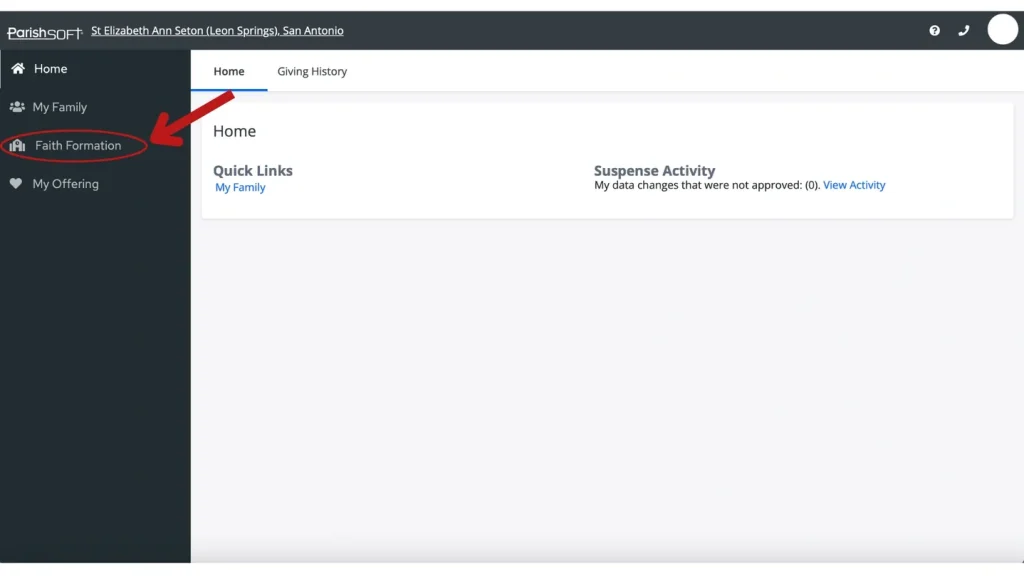
Once you have logged into your Parishsoft account, click the Faith Formation tab on the left side of the page. Select the 2026-2027 Enrollment Term. Once you are in the correct term, press the Add Student button. Select which child you want to add to a class. *If you need to add a child to your account, see the below steps*
After choosing your student, select the grade and add any special learning or health concerns. You can then choose the class. Select up to 3 different class options.
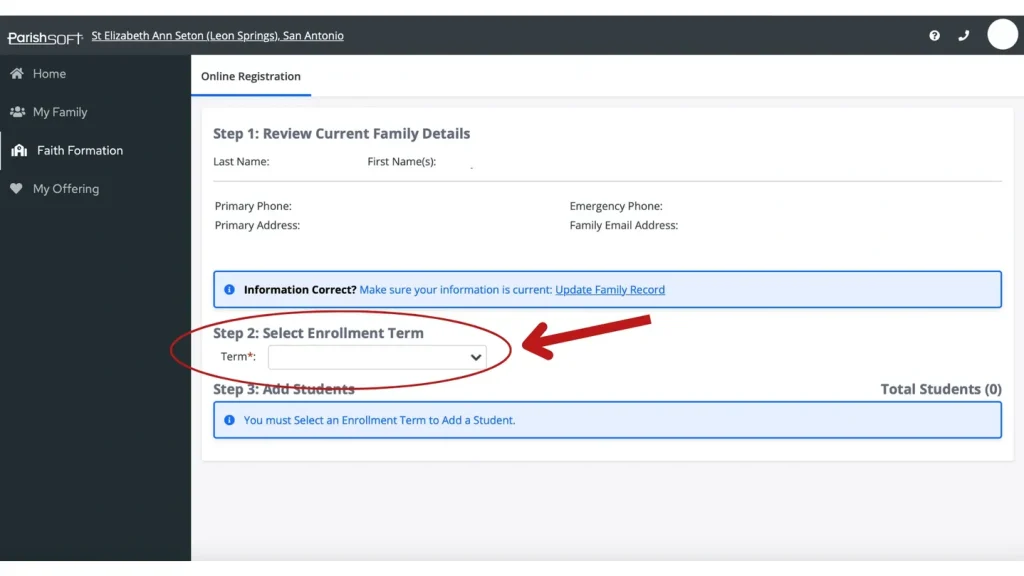
Select the 2026-2027 Enrollment Term.
Once you are in the correct term, press the Add Student button. Select which child you want to add to a class. *If you need to add a child to your account, see the below steps*
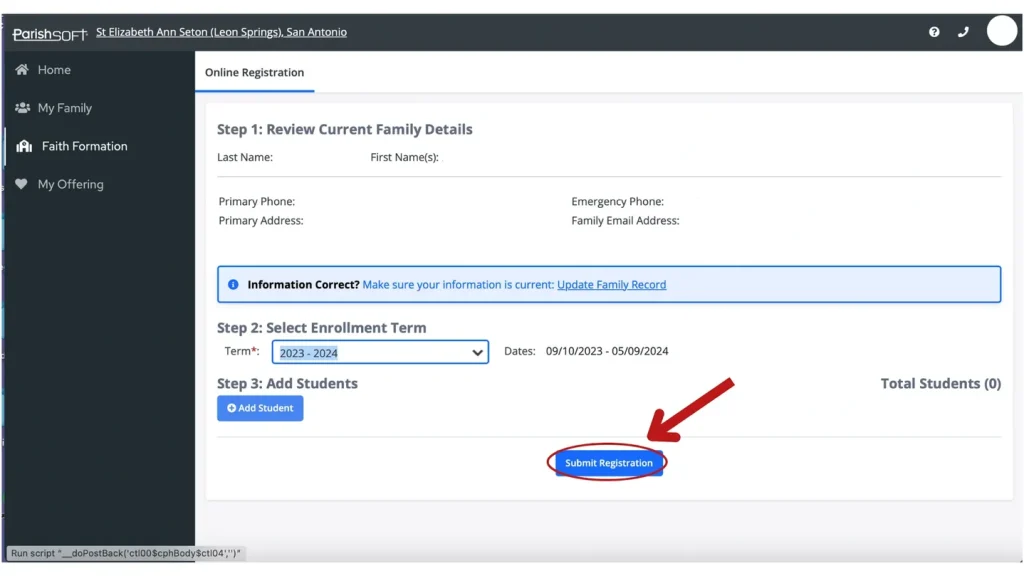
Select the 2026-2027 Enrollment Term.
Once you are in the correct term, press the Add Student button. Select which child you want to add to a class. *If you need to add a child to your account, see the below steps*After choosing your student, select the grade and add any special learning or health concerns. You can then choose the class. Select up to 3 different class options (depending on your child’s grade) in order of preference. Once you choose the class, click the Save Student button.
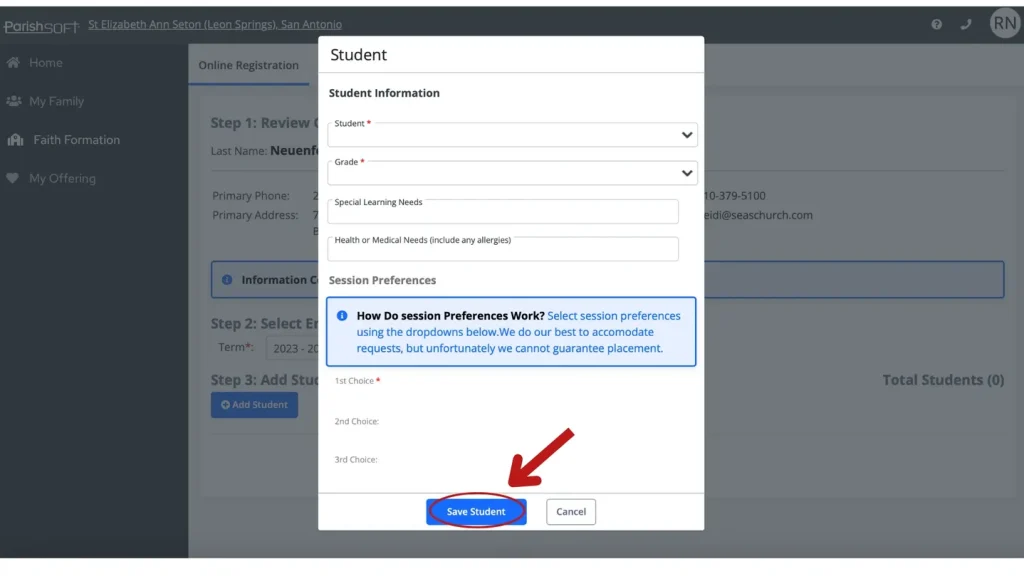
After choosing your student, select the grade and add any special learning or health concerns. You can then choose the class. Select up to 3 different class options (depending on your child’s grade) in order of preference. Once you choose the class, click the Save Student button.
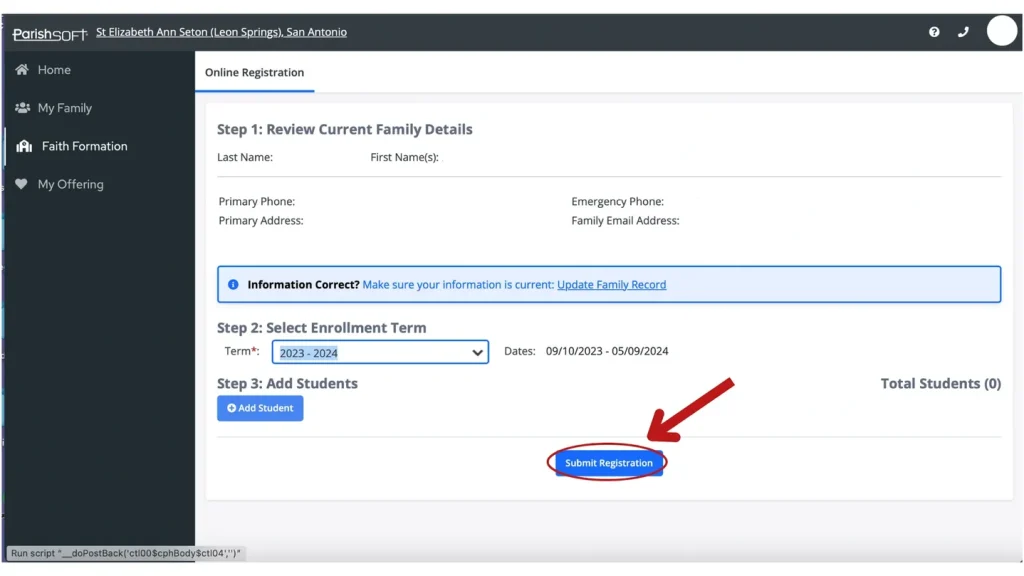
Check to make sure all the information is correct and Submit Registration.
Not sure which program?
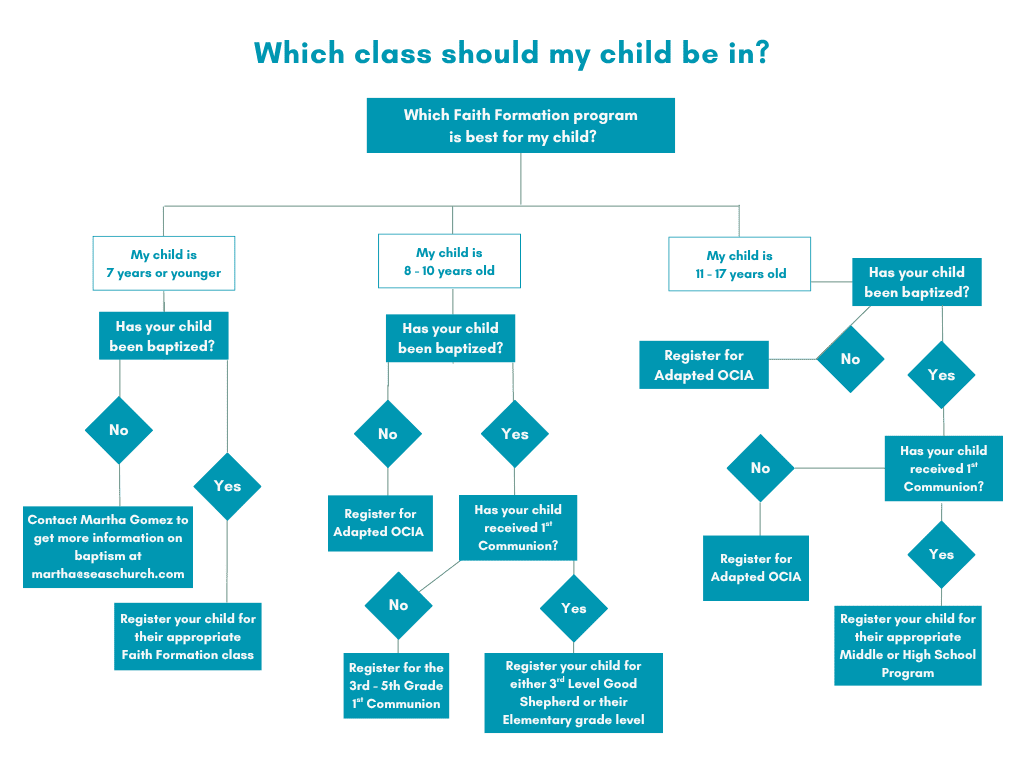
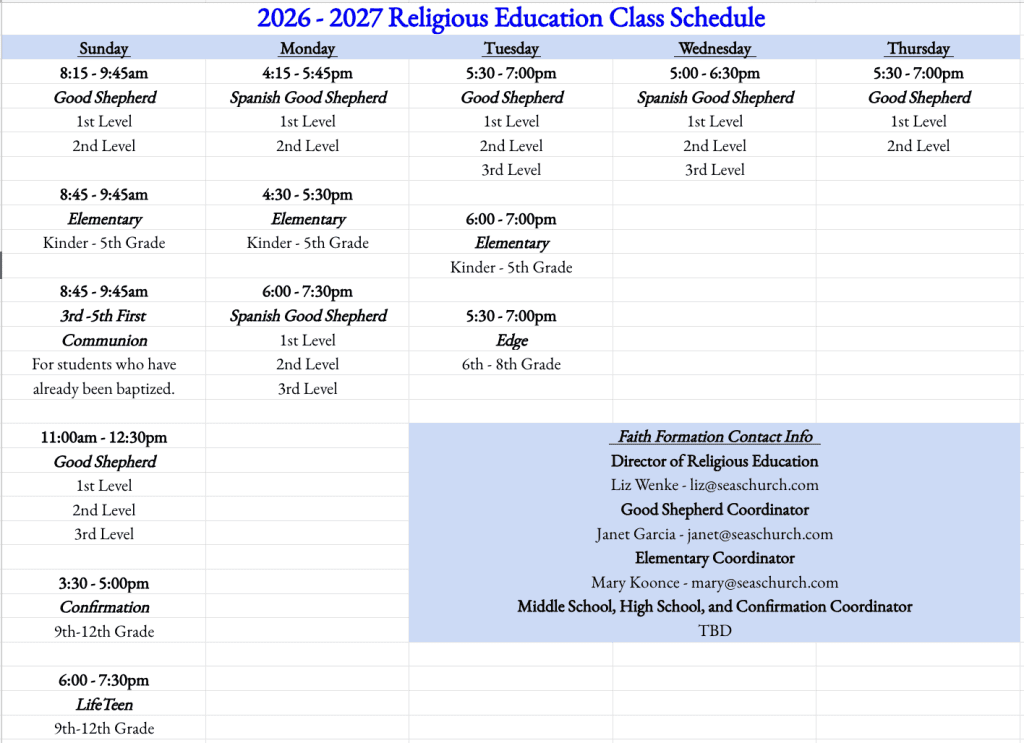
2026-2027 Class Schedule
Note: Some classes may be at capacity and no longer able to accept new students.
RELIGIOUS EDUCATION VOLUNTEERS
Are you being called to serve? We are looking for adults and confirmed teens who are passionate about their faith and interested in sharing their faith journey with the youth of our parish. All volunteers will be trained to lead and learn effective ways to reach out to this dynamic and vibrant group of young people in our community.